Your check-in, one step at a time
A few quick taps, then as much or as little detail as feels useful.
These are real screenshots of the updated layout, using example data. Your app may look different until this update reaches your phone. The numbers and forecast examples are not your personal results.
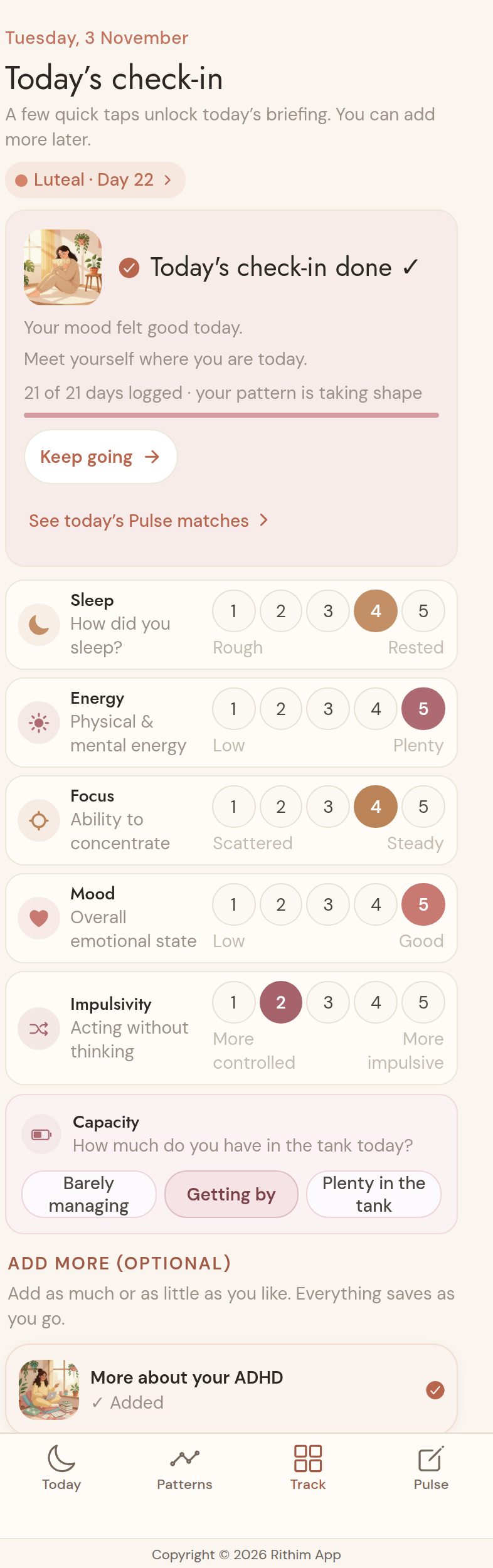
Start with six gentle answers
Tap Track → Check-in. Rate Sleep, Energy, Focus, Mood and Impulsivity, then choose your Capacity. Every tap saves as you go.
These six answers decide whether the day is complete. The progress line shows what is still missing; everything below is optional.
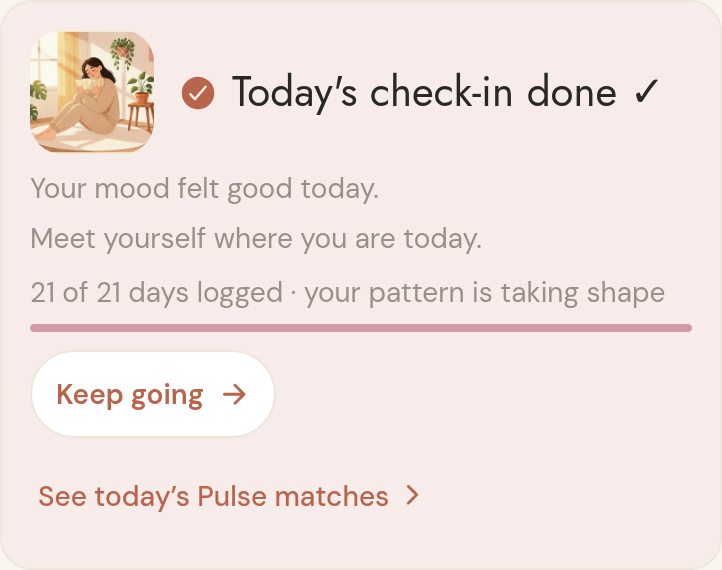
Know when your check-in is done
Today's check-in done ✓ appears once the six answers are in. The short feedback reflects your answers; the progress bar counts recorded days, not a streak.
You can stop here, tap Keep going, or open See today's Pulse matches. Optional details never make a completed day partial.
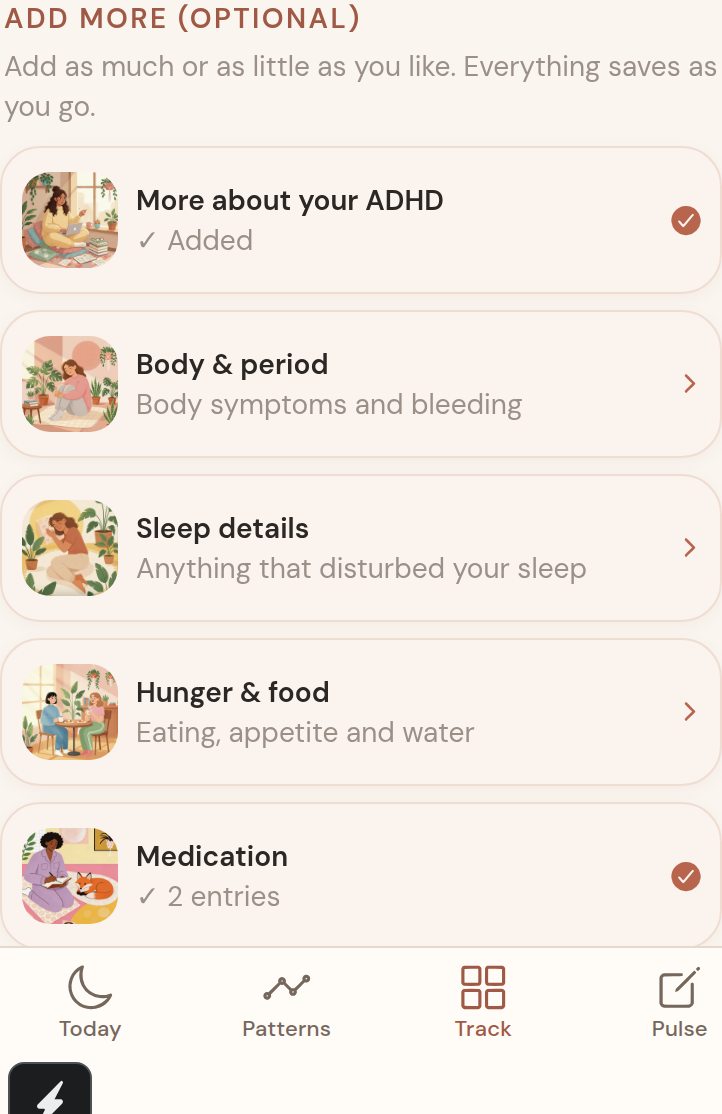
Add a little more, if you like
Under Add more (optional), choose a card: ADHD, Body & period, Sleep details, Hunger & food, Medication or Self-care & impact.
A tick and short summary help you see where you have added answers. Nothing here is required to finish the day.
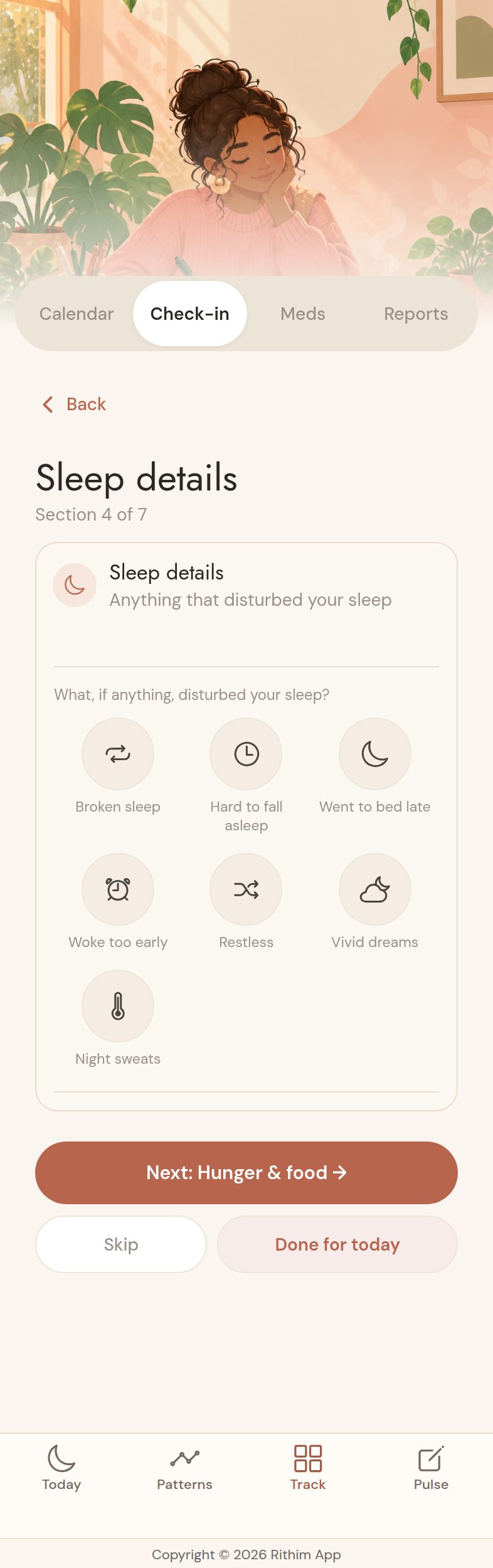
Move through at your own pace
Inside a section, answers save as you go. Use Back at the top, Next to continue, Skip, or Done for today.
Here, Sleep details lets you tap the little icons that fit your night. You can come back later.
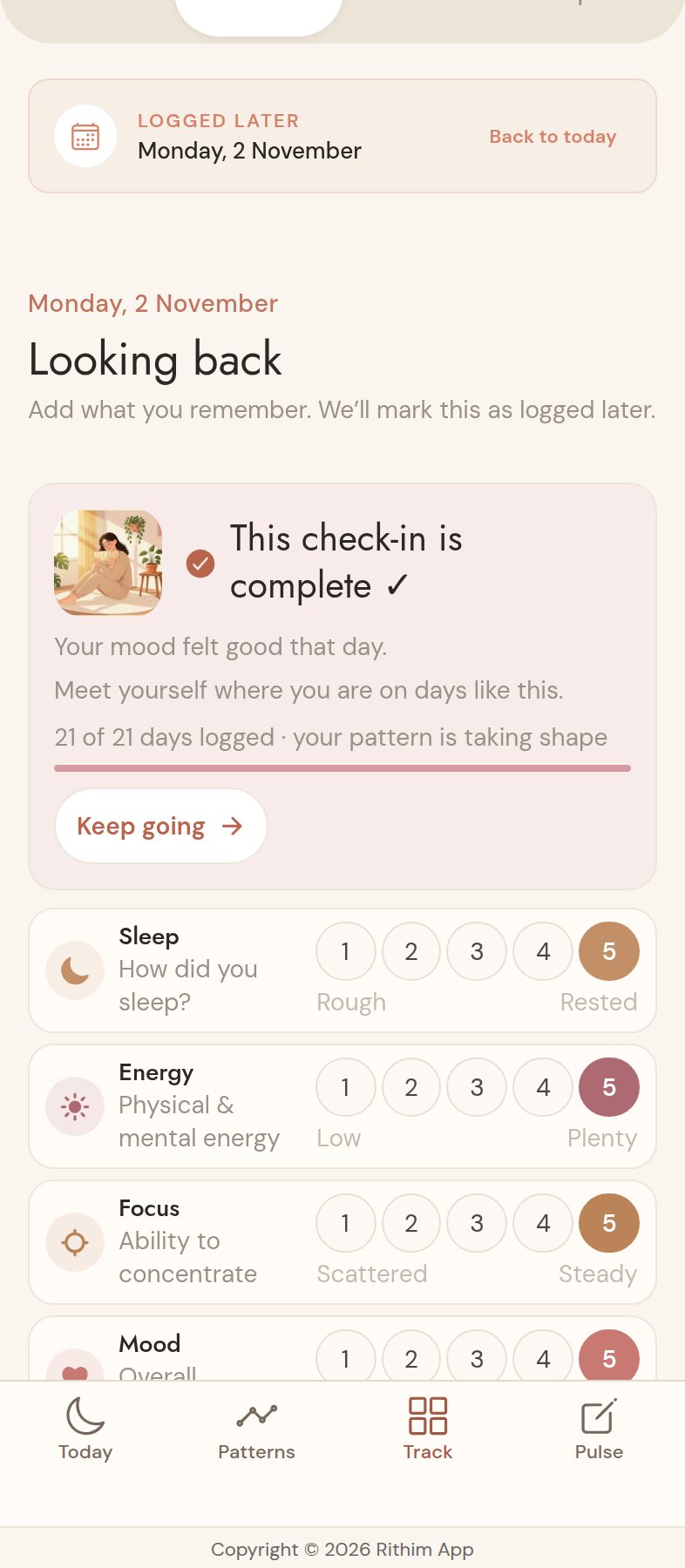
Forgot a day? You can fill it in
From Today, tap Track → Check-in. Below the optional cards, tap Forgot a day? Fill it in and choose a date from the past week.
Looking back shows your chosen date. Add what you remember using the same check-in; it saves to that date and is marked Logged later. Use Back to today when you're ready.
Record your body and period
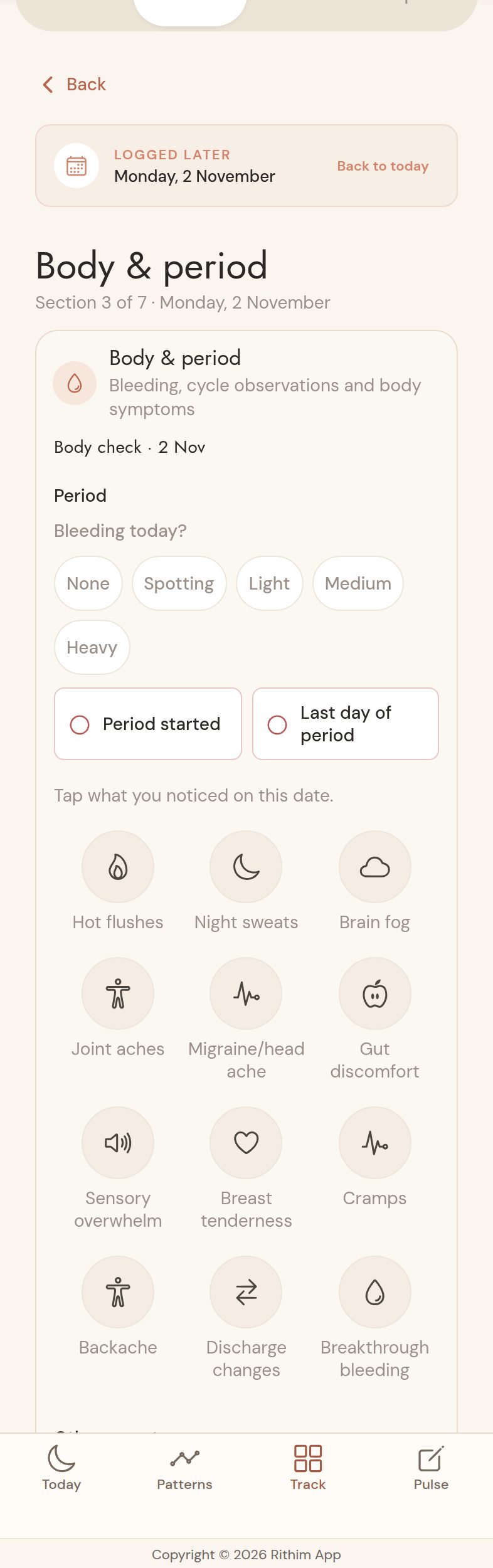
Open Body & period. Choose your bleeding level and, when relevant, Period started or Last day of period.
These apply to the date you're viewing, including a past day. Tap any body symptoms you noticed; strength choices appear below. Everything saves as you go.
Find dates and period controls in Calendar
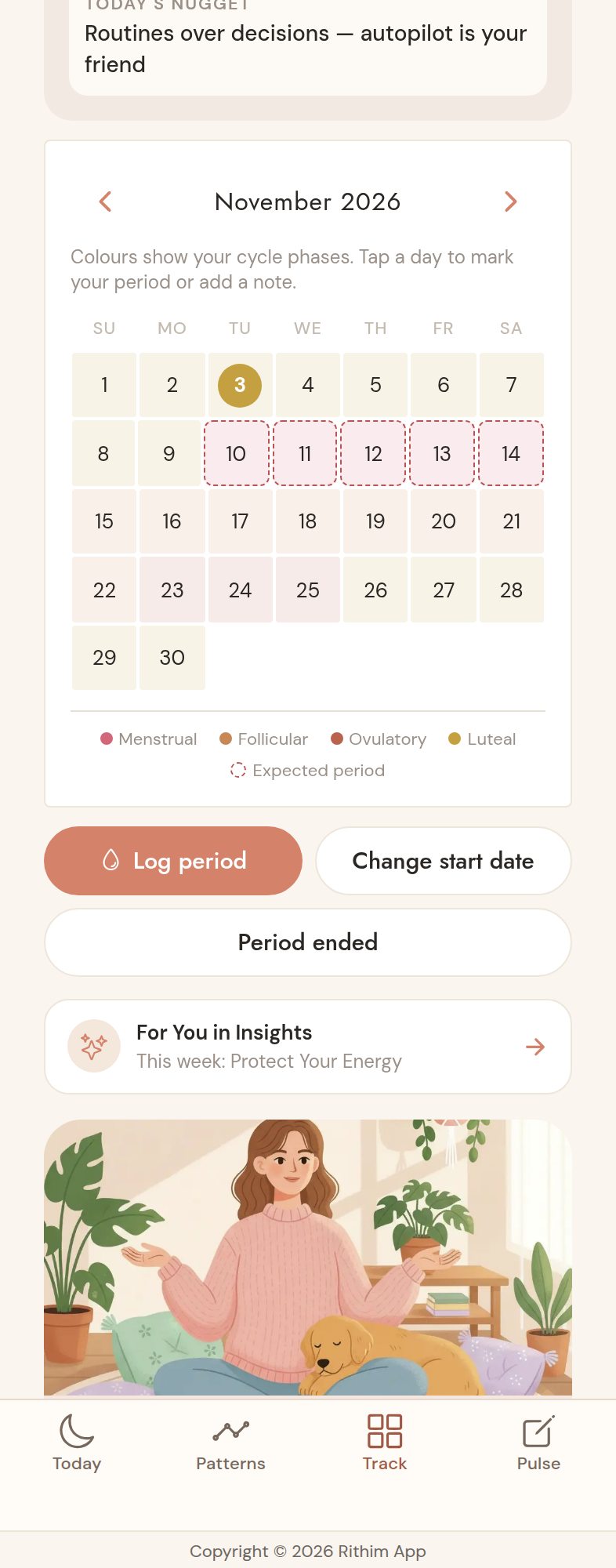
Tap Track → Calendar. Use Log period, Change start date, or Period ended. Period ended opens a picker for the last day of bleeding, with today selected; you can choose a past date too.
If something looks missing, tap its date in Calendar and choose Open this day's check-in to review the answers attached to that day.
See your picture taking shape
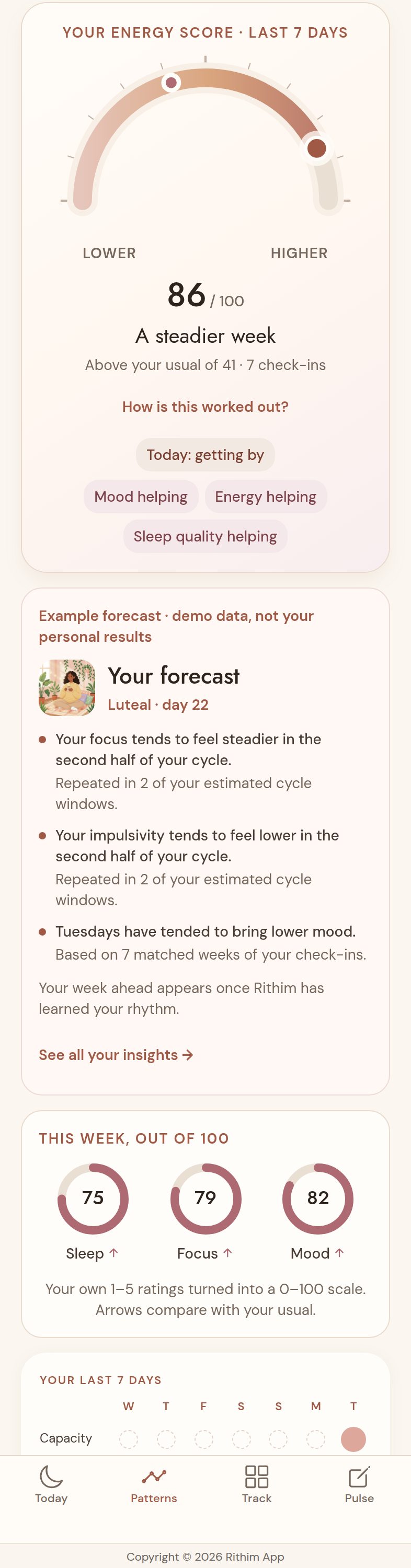
Tap Patterns. The capacity dial comes first, with Your forecast underneath. The forecast explains what each personal observation is based on.
With less data, you'll see Getting to know your rhythm instead. There is no rush. See all your insights → opens For You for more detail.
Need a hand? A partial day means some required answers are missing, not that optional details must be filled in. If a save error appears, keep the screen open and try again when connected. Contact us if something still doesn't look right.